
Tuner
Tune your guitar, bass or ukulele with your phone.
No clip-on and no cable: the tuner listens through the microphone and shows you, string by string, whether to tighten or loosen.


Pitch detection by MWM Audio, the audio technology developed by MWM.

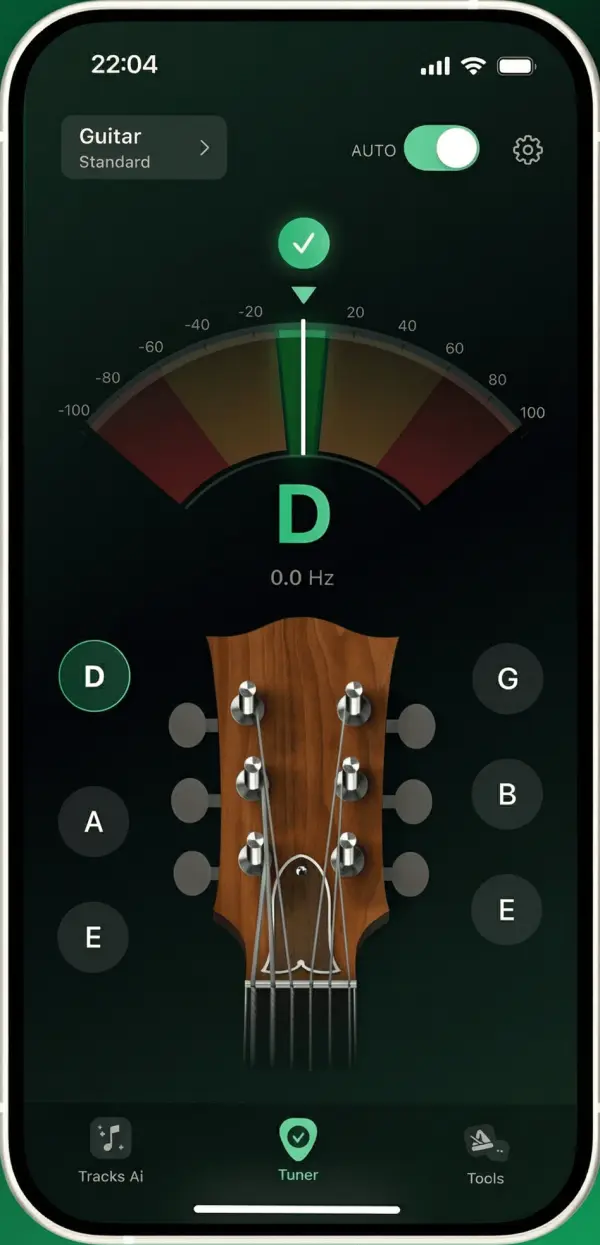
In tune, one string at a time
Sit somewhere quiet, hold your phone close to the instrument and start with the thickest string.
Choose your instrument
Pick guitar, bass or ukulele, then standard tuning or another tuning.
Play one string
Pluck it firmly and let it ring. The tuner shows the note it hears and its frequency.
Follow the needle
The needle shows whether the note is too low or too high. Too low: tighten the string. Too high: loosen it.
Move to the next string
Once a string is tuned, it is marked as done. When all of them are, the app tells you your instrument is tuned.
Your way
Automatic, manual or chromatic.
Let the tuner find the string, choose it yourself, or tune any note at all.
- Automatic
- Play any string. The tuner finds the closest string of your tuning and guides you to it.
- Manual
- Tap a string on screen and the tuner only listens for that note. Useful when a string is far out of tune.
- Chromatic
- For any instrument: the tuner shows the nearest note and how many cents you are away from it.
Instruments and tunings
Standard tuning is free for every instrument. The subscription unlocks the alternate tunings: 65 for the guitar alone, including Drop D, half step down, open G, open D and DADGAD.
| Instrument | Standard tuning | Available on |
|---|---|---|
| Guitar, 6 strings | E2 A2 D3 G3 B3 E4 | iPhone, iPad and Android |
| Bass, 4 strings | E1 A1 D2 G2 | iPhone, iPad and Android |
| Ukulele | G4 C4 E4 A4 | iPhone, iPad and Android |
| Guitar, 7 strings | B1 E2 A2 D3 G3 B3 E4 | iPhone and iPad |
| Guitar, 12 strings | 6 pairs: E3/E2, A3/A2, D4/D3, G4/G3, B3/B3, E4/E4 | iPhone and iPad |
| Bass, 5 strings | B0 E1 A1 D2 G2 | iPhone and iPad |
| Violin | G3 D4 A4 E5 | iPhone and iPad |
On Android, you can also unlock one alternate tuning at a time by watching a short video.
Questions & answers
Tuner questions
Is the tuner free?
Yes. The tuner, the chromatic mode and the standard tuning of every instrument are free, with ads. A subscription removes the ads and unlocks the alternate tunings.
Do I need a clip-on tuner or a cable?
No. The app listens through your phone’s microphone. Play in a quiet room and keep the phone close to the instrument. With an electric bass or guitar, playing through an amplifier helps the tuner hear the string.
Can I tune to A = 432 Hz?
No. The tuner uses the standard reference pitch, A4 = 440 Hz.
Can I create my own tuning?
Not in the current version. Choose one of the tunings listed in the app, or use the chromatic mode to bring each string to the note you want.
Why does the tuner jump between notes?
Pluck one string at a time and mute the others with your hand. A string that is very far from its note can be heard as the next string: switch to manual mode and tap the string you are tuning.