
Metronome
A metronome for your practice sessions.
Set a tempo between 30 and 250 BPM, choose a time signature and a sound, and keep the beat while you practice chords and riffs.


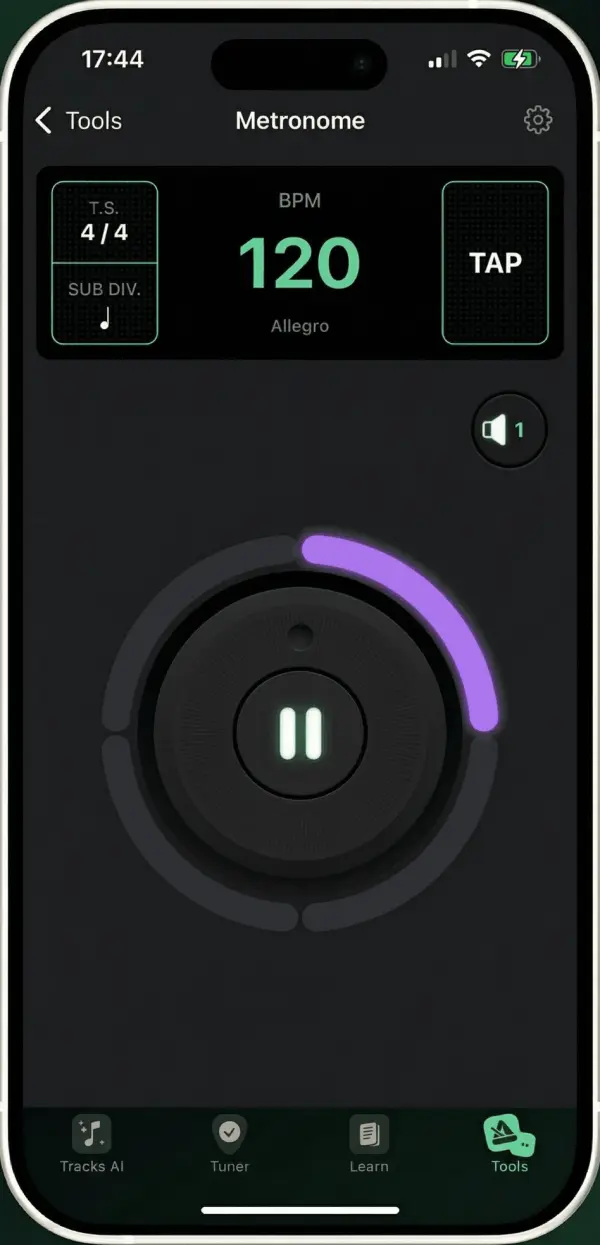
Everything a practice beat needs
- Tempo
- From 30 to 250 BPM, set with a dial.
- Tap tempo
- Tap a button in time to set the tempo of a song you hear.
- Time signature
- From 1 to 16 beats per bar, from 4/4 to odd meters.
- Subdivisions
- Split each beat into smaller notes to practice faster rhythms.
- Accent
- The first beat of each bar is accented, so you always know where the bar starts.
- 15 sounds
- From a classic click to a hi-hat, a cowbell or a djembe.
How to practice with a metronome
A simple routine to play cleanly first, then faster.
Start slow
Pick a tempo at which you can play the passage without mistakes.
Play on the click
Line up each strum or note with the beat. The accent marks the start of each bar.
Speed up a little
Once it feels easy, raise the tempo by a few BPM and play it again.
Questions & answers
Metronome questions
Is the metronome free?
Yes, the metronome and its tempo dial are free. Tap tempo, time signatures and subdivisions come with the subscription, as do 13 of the 15 sounds on iPhone and iPad.
What is the tempo range?
From 30 to 250 beats per minute.
Can I type a tempo?
On Android, yes: you can type the tempo or set it with the dial. On iPhone and iPad, turn the dial or use tap tempo.
Keep the beat
The metronome sits next to the tuner and the chords, in the same app.